Getting started
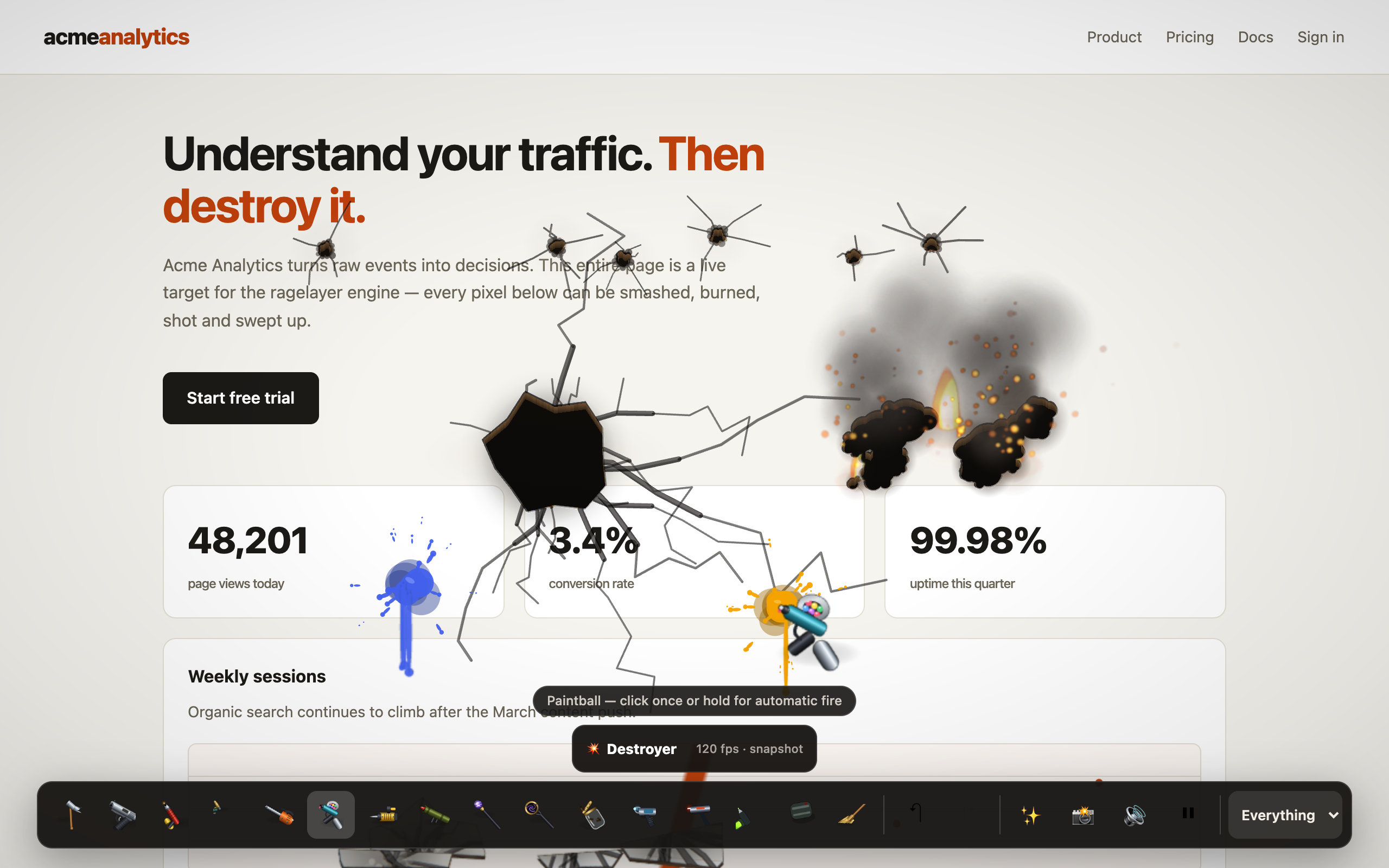
RageLayer is a self-contained page-destruction toy: it rasterizes the live page into a destructible canvas, hides the real DOM (layout and scroll survive), and lets visitors smash, shoot, burn, soak, saw, paint, corrode, bomb — and then sweep it all up. Zero assets, zero runtime dependencies, framework-agnostic core with drop-in React and Vue components.
Install
Install from npm:
npm install ragelayerBun, pnpm and Yarn all work the same way (bun add ragelayer, …).
The package ships modern ESM with TypeScript declarations. react/react-dom and vue are optional peer dependencies — you only need the framework used by the entry you import.
60-second React setup
import { useState } from "react";
import { RageLayer } from "ragelayer/react";

function App() {
  const [open, setOpen] = useState(false);
  return (
    <>
      <button onClick={() => setOpen(true)}>Destroy this page</button>
      {open && <RageLayer onClose={() => setOpen(false)} />}
    </>
  );
}
That's the whole integration: a floating toolbar appears, the page becomes destructible, and Esc (or the ✕ button) restores everything and unmounts cleanly.
Next.js note: use it from a Client Component. The published React entry preserves its
"use client"boundary; lazy loading is optional. See integrations.
60-second vanilla setup
import { createRageLayer } from "ragelayer";

const rageLayer = createRageLayer({
  initialTool: "flamethrower",
  soundEnabled: true,
});

document.querySelector("#destroy")?.addEventListener("click", () => rageLayer.toggle());
The controller registers all 15 tools and handles repeated open/close cycles. Build whatever UI you like on top—the live demo is a complete example with a hand-rolled toolbar.
The toolset
Base tools (7)
| Tool | Gesture | |
|---|---|---|
| 🔨 | Hammer | click — escalating blows until the spot fractures into rigid debris |
| 🔫 | Gun | click / hold for full-auto |
| 🔥 | Flamethrower | hold — fire catches, spreads and eats the page |
| 💦 | Water Hose | hold — a compact pressure nozzle douses fire and washes stains |
| 🪚 | Chainsaw | drag — close a loop and the piece drops out whole |
| 🎨 | Paintball | click once or hold for automatic fire |
| 🧹 | Broom | drag — sweeps damage away and repairs content |
Heavy tools (5)
| Tool | Gesture | |
|---|---|---|
| 🏗️ | Demolition | click — knocks a real page element loose as one object |
| 🚀 | Rocket launcher | click |
| ⚡ | Lightning | click |
| 🕳️ | Black hole | hold — lenses the page, eats debris, detonates on release |
| 🐛 | Bug | click — releases a bug that gnaws trails through the page |
Advanced tools (3)
| Tool | Gesture | |
|---|---|---|
| 🔴 | Laser Cutter | drag — makes a clean structural cut and drops isolated pieces |
| 🫙 | Acid Jar | hold — pours fluid corrosion that runs down the page |
| 💣 | Sticky Bombs | click — attaches a timed charge |
Screenshots and detailed behavior notes: tool gallery.
Need a smaller initial graph or different visual sizing? See procedural 3D models for toolScale, engine-only imports, base/heavy/advanced tool entry points, and on-demand loading.
Keyboard (React toolbar)
1–9/0 select tools · P save a PNG · R repair · M mute · Esc deselect, then close.
Where next
- Integrations — React, Next.js, Vue, Svelte, Astro, plain
<script> - API reference — engine options, engine API, custom tools
- Performance — adaptive quality, telemetry, benchmarks
- Procedural 3D models — sizing, fidelity, custom art, and lazy tool loading
- Architecture — how the whole thing works
- Compatibility — browsers, frameworks, SSR, ESM, and CSP
- Accessibility — keyboard, reduced motion, and host responsibilities
- Troubleshooting — capture, SSR, layering, sound, and performance fixes